

Return to Vendor Software for vendor RMAs, chargebacks and credit recovery
Send defective stock back by vendor, inside the vendor’s window, and see every credit land.
Return to vendor (RTV) is the process of sending defective, damaged, recalled or surplus goods back to the supplier that made or sold them, in exchange for a credit, a replacement or a refund. On a pallet by the dock, forty units sit under a sticky note that says RTV. Nobody is sure whether the vendor’s window closes this Friday or last Friday.
ReverseLogix is return to vendor software that runs on the same record as the customer return. A unit is graded, the grade sets the disposition, and when the rule says return to vendor, the vendor return authorisation, the shipment and the expected credit are created from that record. Your ERP stays the system of record for purchase orders, vendors and credit memos.
Returns teams using ReverseLogix include:


Why Does Return to Vendor Leak So Much Credit?
Return to vendor leaks credit because the work sits between teams. The warehouse holds the stock, purchasing holds the agreement, and finance waits for the credit memo. A tracker on a spreadsheet joins them, until it does not.
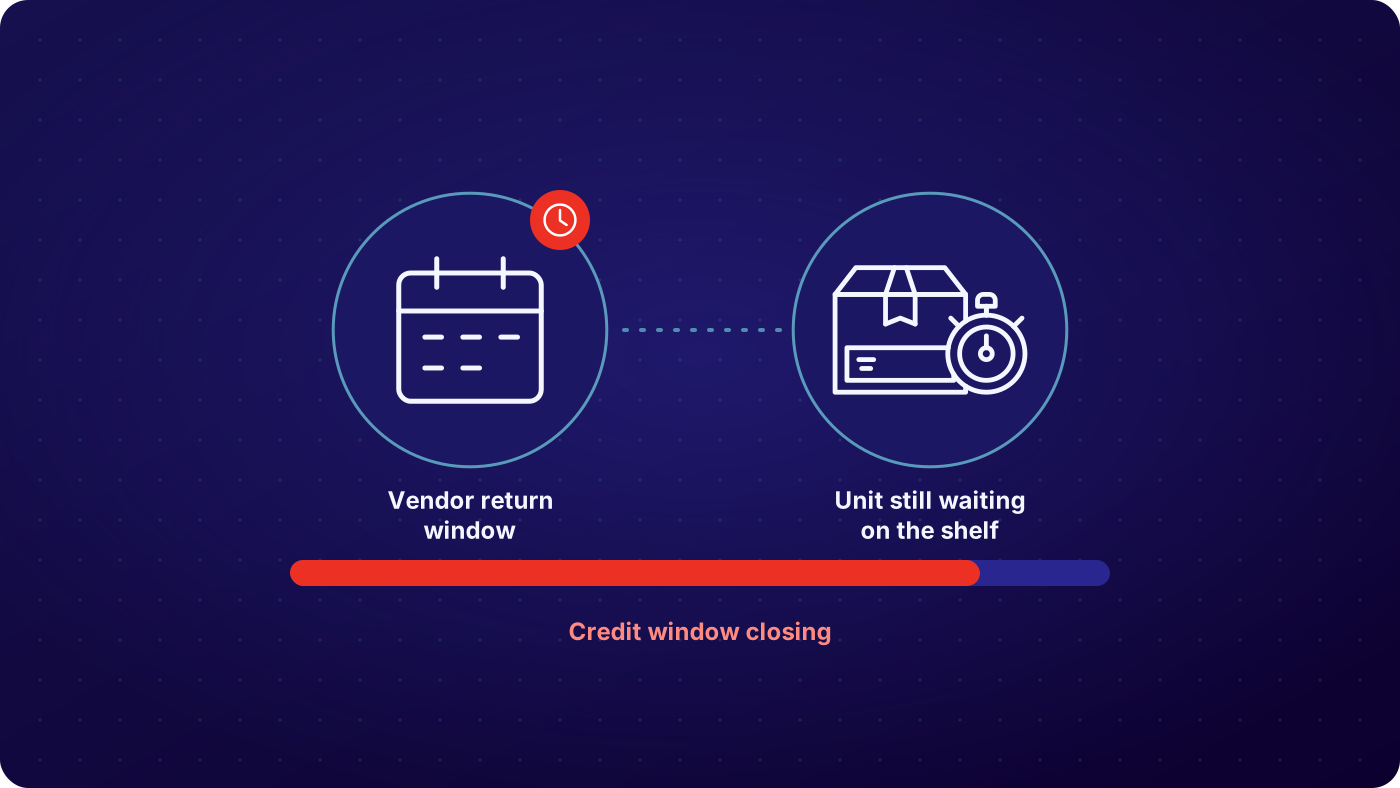

Vendor deadlines live in contracts, not in the system
Every supplier agreement sets its own window for claims and returns. When nobody sees the date against the unit, the window closes and the vendor declines the credit. The cost lands on your margin.

Defective stock sits unsorted by vendor
A vendor return is worth sending only when the units are grouped by vendor, with a reason and proof for each. Stock scattered across bins and buildings gets written off instead of returned.

Vendor RMAs run on email
Someone asks the vendor for an authorisation, waits, chases, and pastes the number into a sheet. Each vendor wants a different form. This is the double work your team already knows too well.

Credits come back late, short or never
Goods ship and the credit memo is meant to follow. Without a match between what left the building and what the vendor credited, finance reconciles after the fact, and unpaid claims go unnoticed.
How Does Return to Vendor Work in One System?
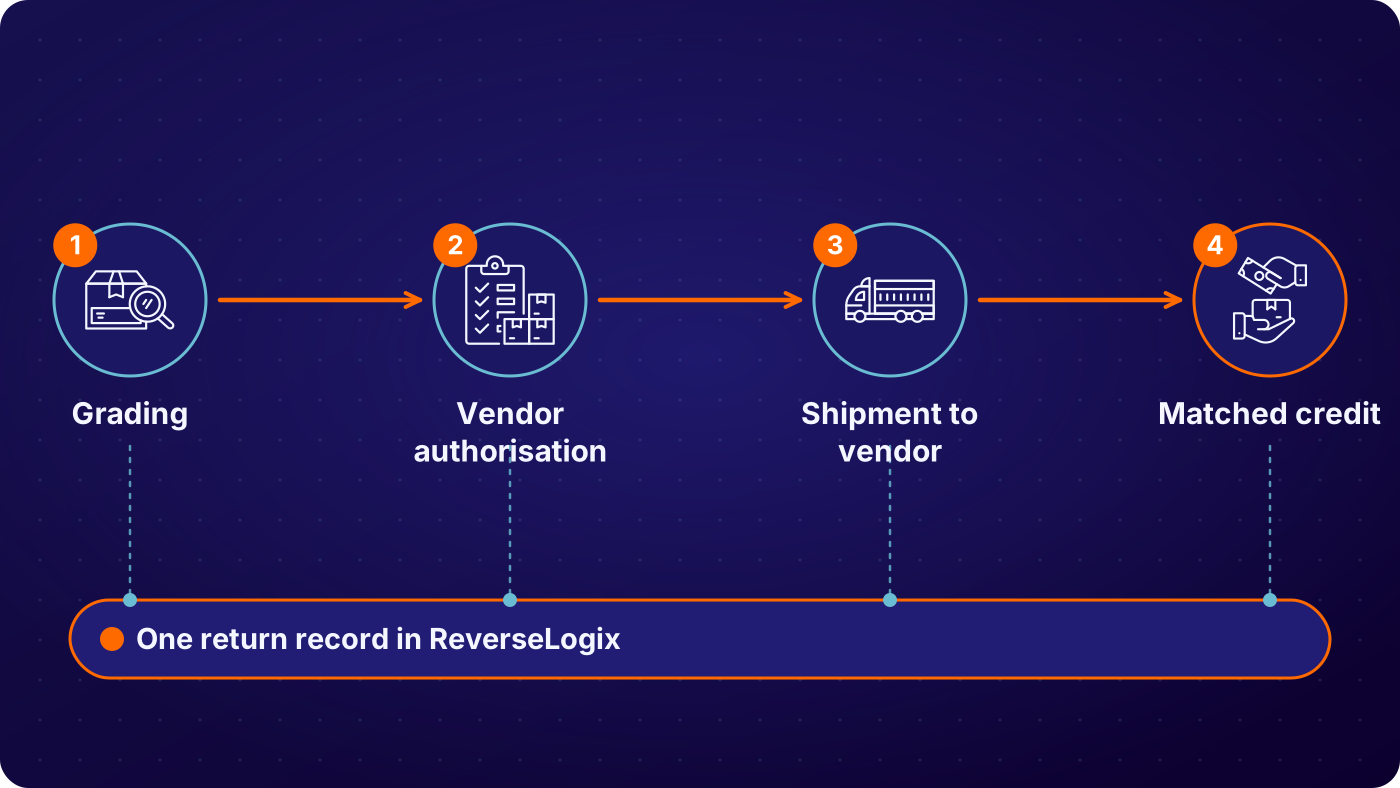
Grade the unit and set the disposition
The unit is received against its RMA and graded against criteria set for that SKU. A defect that the vendor should own, such as a failed component or a shipping fault at source, sets the disposition to return to vendor. The grade, the reason and the photos go on the record, so the claim has its proof from the first scan.
See: returns processing, Vision AI
Consolidate by vendor and request the authorisation
Units routed to return to vendor are grouped by vendor. The vendor’s return window from your supplier agreement sits against each unit, so the oldest and most urgent go first. The vendor return authorisation is requested and its number is stored on every line it covers.
See: B2B bulk returns
Ship the batch and track it
The batch ships with the vendor’s authorisation on the paperwork. Carrier tracking and the shipment record stay linked to each unit, so anyone can answer where a vendor return is and when it left.
See: integrations


Match the vendor credit to what shipped
Each expected credit is held open against the units that left. When the vendor’s credit memo posts to your ERP, it is matched to the shipment. Short pays, rejected units and credits that never arrive are flagged for follow up, with the record ready to send back to the vendor.
See: analytics
| Condition at inspection | Typical route | Recorded on the return |
|---|---|---|
| Defective component, inside the vendor warranty window | Return to vendor, vendor RMA requested, unit held for the batch | Grade, fault reason, photos, vendor, window date, serial, timestamp |
| Damaged in vendor shipment to you | Return to vendor with shipping claim raised | Damage photos, inbound reference, vendor, claim status, timestamp |
| Vendor window closes within the set number of days | Moved to the front of the vendor batch and flagged | Days left, vendor, batch, flag raised, timestamp |
| Vendor declines or short pays the credit | Held for dispute, evidence pack attached | Credit expected, credit received, reason given, dispute status, timestamp |
| Out of window, vendor will not accept | Routed to another disposition such as repair, resale, harvest or recycling | Window result, new route, approver, serial, timestamp |
Example configuration. Programs set their own grades, thresholds and routes.
Who Uses Return to Vendor Software, and What Does Each Team See?
Four teams touch a vendor return, and each needs a different view of the same unit. The dock team sees what to pull and pack. The vendor or supply team sees the authorisation status and the deadline. Finance sees the credit expected against the credit received. Customer service sees whether the customer’s replacement is waiting on the vendor. Nobody reconciles four lists, and each unit keeps one history.
See: operations, finance
One record, every team
- Warehouse: units to pull, pack and ship by vendor batch
- Vendor and supply teams: authorisation status and deadline by vendor
- Finance: credit expected against credit received, by shipment
- Customer service: replacement status when the vendor is the hold-up
What Can You See and Measure on Vendor Returns?
You can see every unit that is due to go back to a vendor, how long it has been waiting, and whether the credit has come in. That is the view most teams build by hand each month. ReverseLogix keeps it live from the grading record, so the number you show finance is the number on the shelf. It reports what the record holds. It does not chase the vendor for you or guarantee that a vendor pays.
- Units graded return to vendor with no vendor authorisation yet
- Units approaching or past the vendor’s return window
- Shipments to a vendor with no matching credit memo
- Credits received for less than the credit expected
- Aged vendor batches by vendor, with value and days waiting
Your ERP and Warehouse System Stay the Systems of Record
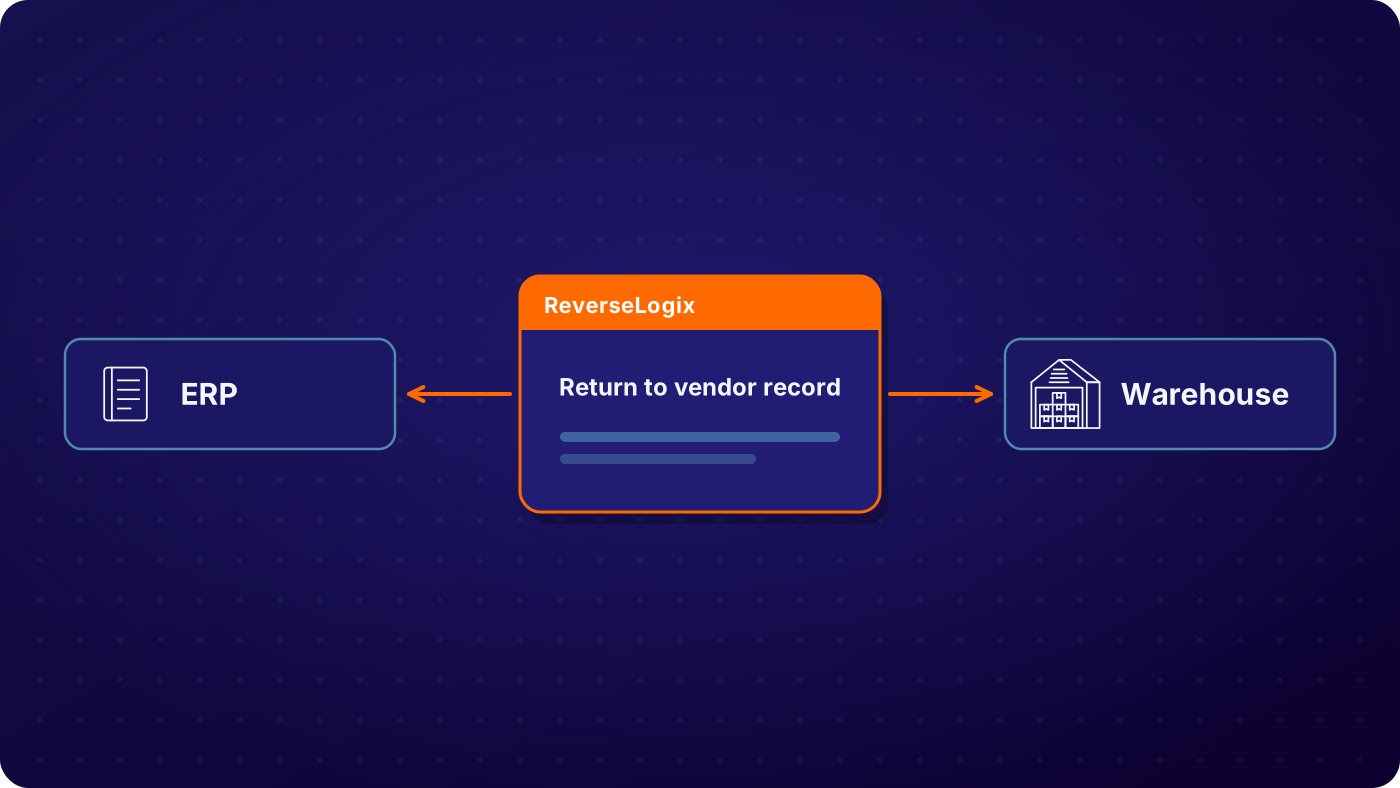
ReverseLogix runs the return to vendor workflow and posts to your systems of record. Your ERP keeps vendors, purchase orders and credit memos. Your WMS keeps stock locations. ReverseLogix integrates with SAP, Oracle, NetSuite and Microsoft Dynamics 365, and with warehouse platforms such as Blue Yonder, Manhattan, Korber and SAP EWM, through an API-first design. The project takes mapped fields, a sandbox, user acceptance testing and a go-live plan. The ReverseLogix team scopes it with you.
See: integrations, implementation
Audit Trail, Access and Controls for Vendor Credits
Every vendor return carries a full history: who graded the unit, which rule set the disposition, which vendor authorisation covered it, when it shipped and which credit matched it. That history is what an auditor or a vendor dispute asks for, and it is on the record without anyone building it by hand.
Role-based access decides who can change a vendor rule, approve an override or close a claim. Every change is written to the audit history. ReverseLogix certifications are shared during evaluation. Your finance and compliance teams own the accounting treatment of vendor credits, and the system records the steps they set.
See: platform security
Your next questions, answered


Frequently asked questions
Return to vendor is the process of sending defective, damaged, recalled or surplus goods back to the supplier for a credit, a replacement or a refund. It starts with a vendor return authorisation, moves through shipping, and ends when the vendor’s credit is matched to what you sent. Most teams call it RTV. It sits alongside repair, resale and recycling as one of the ways a returned unit can be dispositioned.
Return to vendor software tracks each unit from the decision to send it back through to the credit that closes it. It groups units by vendor, holds the vendor’s return window against each one, stores the vendor authorisation number, follows the shipment, and matches the vendor credit to the goods. It replaces the spreadsheet and the email chain most teams use today.
A customer RMA authorises a customer to send a product back to you. A vendor RMA is the authorisation you request from your supplier to send goods back to them. The vendor sets the terms, so each one can differ in form, window and credit method. ReverseLogix keeps both on linked records, so the vendor claim traces back to the original customer return.
You store the return window from each supplier agreement as a rule against the vendor, then the system counts down from the receipt or purchase date on every unit. Units near the end of the window are flagged and moved up the batch. Where a window has closed, the unit is routed to another disposition instead of sitting on a shelf.
Yes. Each shipment to a vendor holds an expected credit. When the vendor’s credit memo posts to your ERP, the two are matched. Credits that are short, late or missing are flagged with the shipment record attached. The system shows the gap and the evidence. It cannot make a vendor pay, so your team still owns the follow up.
Yes. Units graded return to vendor are grouped by vendor, with the reason, photos and window date on each one. Your team can build the batch, request one authorisation and ship together. Consolidating means fewer shipments, fewer claims and less stock left behind when a window closes. Batch size and grouping rules are configurable.
No. Your ERP keeps vendors, purchase orders and credit memos, and remains the system of record. ReverseLogix runs the return to vendor workflow and posts to it. It integrates with SAP, Oracle, NetSuite and Microsoft Dynamics 365. The project takes field mapping, a sandbox, user acceptance testing and a go-live plan, which the ReverseLogix team scopes with you.
Standard go-live for returns initiation is 4 to 6 weeks. Return to vendor rules, vendor windows and ERP credit matching are extra configuration, so plan the timeline with your specialist based on how many vendors and agreements you bring in. Repair and technician flows extend the project further. A specialist will give you a plan after reviewing your process.
Further reading: Reverse Logistics Association.
See Where Your Vendor Returns Leak Credit
A specialist walks through your vendor returns, from grading to credit memo, and shows where credit is lost, before any demonstration.


