

Warehouse Returns Management Software that works beside your WMS
Receive, grade and route every returned unit at the dock, and send clean stock moves to the warehouse system you already run.
Warehouse returns management software is a system that guides a warehouse team through receiving, inspecting, grading and routing returned goods, and records what each unit was worth when it came back. Most warehouses do this work in a WMS that was built for outbound, with a spreadsheet filling the gaps. The returns area becomes the one part of the building nobody can report on.
ReverseLogix is warehouse returns management software that runs the returns area and leaves the rest of the building to your WMS. A unit is scanned against its RMA, inspected against criteria for that product, graded, and sent to stock, repair, the vendor, resale or recycling by rule. The WMS receives a finished stock move, not a problem to solve.
Returns teams using ReverseLogix include:




Why Is a WMS Not Enough for Warehouse Returns?
A WMS is not enough for returns because it was designed to know what is leaving, not to judge what came back. Without warehouse returns management software, the judging happens in people’s heads and on paper.

The WMS expects a purchase order, not a surprise
Inbound receiving matches a delivery to an order the warehouse placed. A return arrives unannounced, in any condition, sometimes with the wrong item inside. The WMS has nowhere to put that information.

Inspection depends on who is on shift
One associate opens every box. Another checks the label and moves on. With no criteria on the screen for the product in hand, the same unit can be graded resellable on Monday and scrap on Tuesday.

Returned stock waits in a cage
Until someone decides what a unit is, it cannot be put away. Good stock sits unsellable for days, and the customer’s refund waits with it. This is the bottleneck every returns supervisor knows.

Nobody can say what the returns area recovered
Finance asks how much came back, how much went to stock and how much was written off. The answer is assembled by hand at month end, and it rarely matches the stock count.
How Does Warehouse Returns Management Software Run the Returns Area?
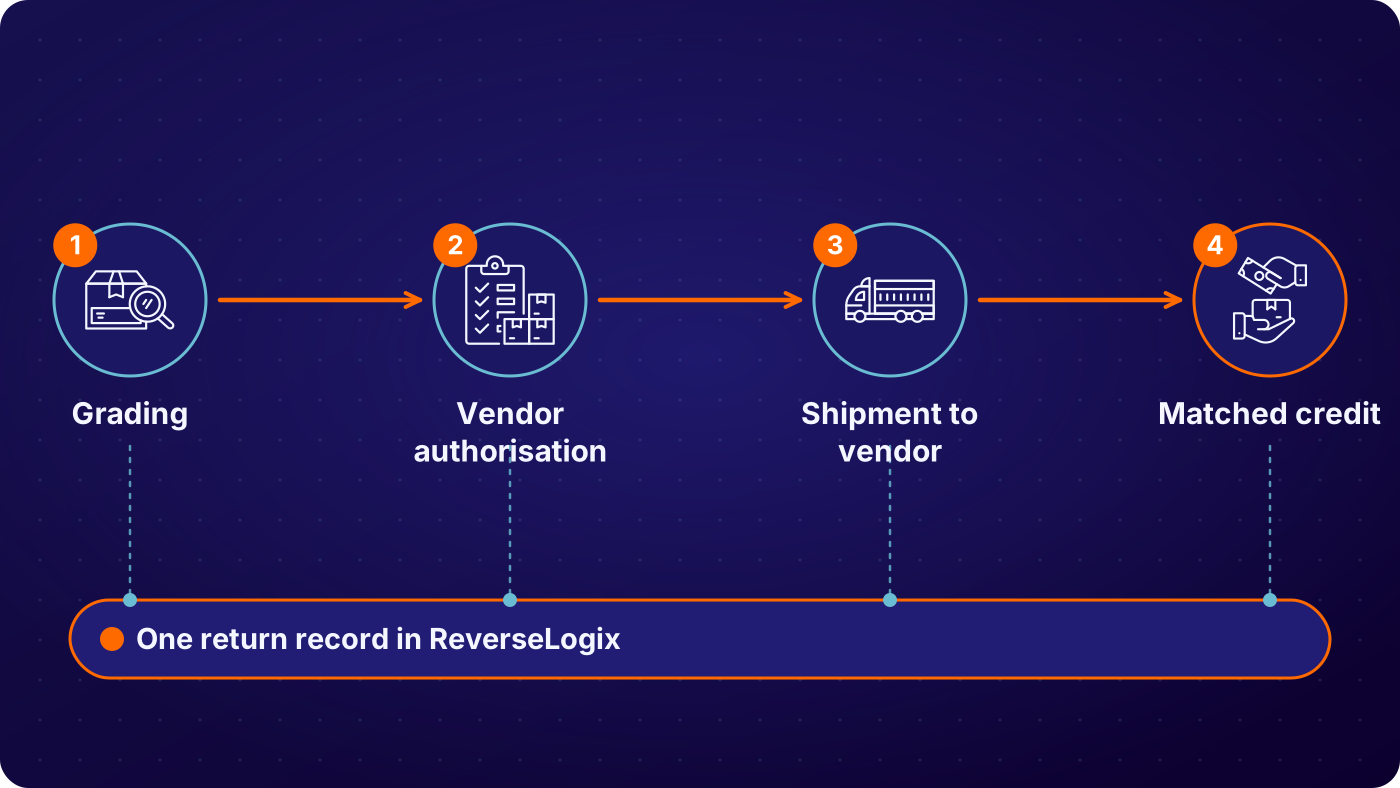
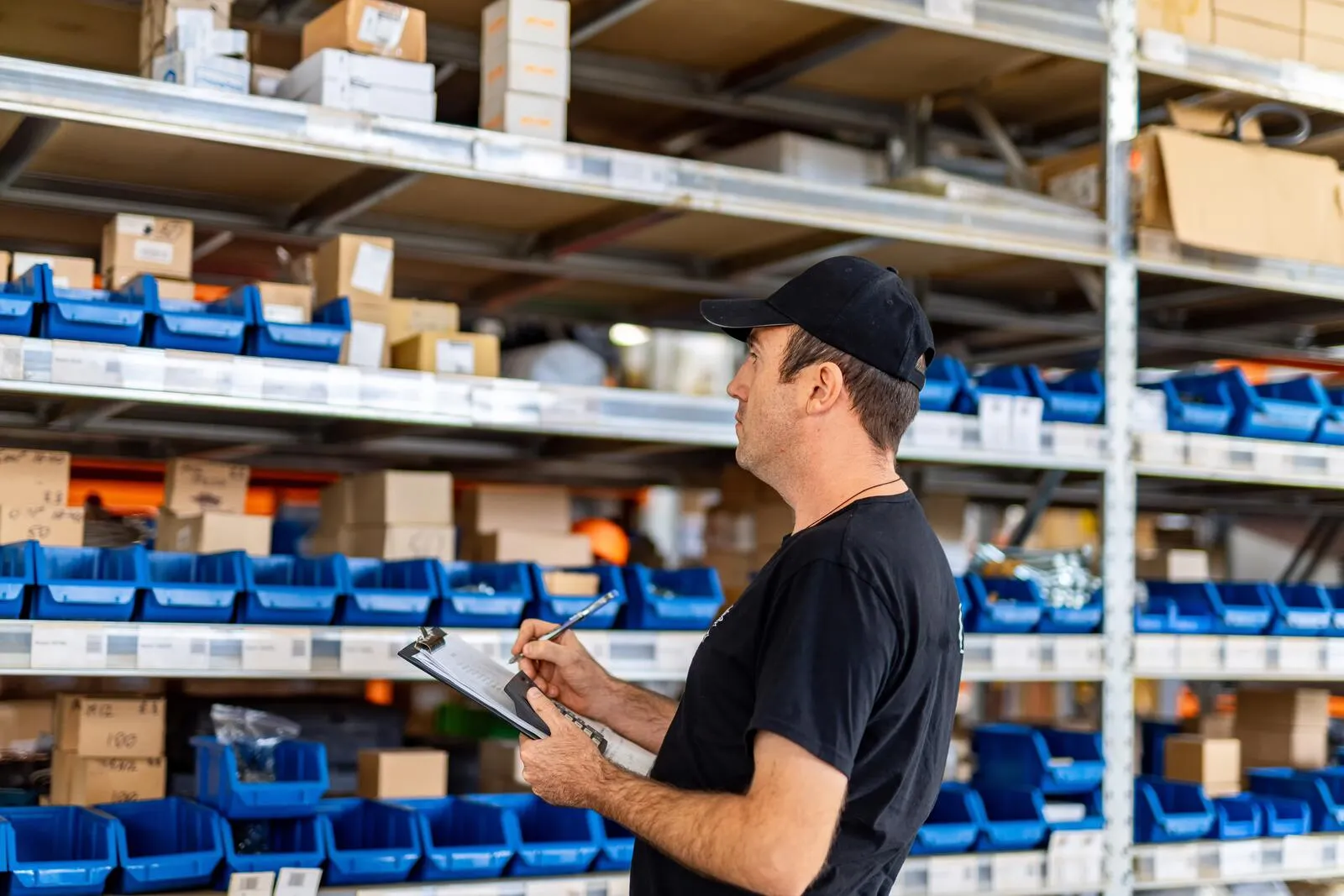
Scan the return against its RMA
The associate scans the label or the RMA. The system shows what was expected, who sent it and why. If the box holds something else, the discrepancy is recorded with photos at that moment, before the unit goes any further.
See: returns processing, RMA software
Inspect and grade with the steps on screen
Inspection steps are set per product or category, so a power tool is checked differently from a jacket. The associate works through them and the grade follows from the answers. Where images help, Vision AI can compare the unit with a reference and flag damage for the associate to confirm.
See: Vision AI
Route the unit by rule
The grade and your rules set the disposition: back to stock, repair, return to vendor, resale or recycling. The associate is told where the unit goes next. Exceptions go to a supervisor queue and do not sit in a tote.
Post the stock move and release the refund
When the unit is dispositioned, the stock move posts to your WMS and the financial result posts to your ERP. The refund or credit is released by the trigger your program sets, which can be the dock scan or the completed grade.
See: integrations
| Condition at inspection | Typical route | Recorded on the return |
|---|---|---|
| Unopened, original packaging | Quick check, back to sellable stock | RMA, grade, location, associate, timestamp |
| Opened, complete and working | Repack or sell as open box under your rule | Grade, photos, repack service, channel, timestamp |
| Faulty, inside warranty | Repair bench or return to vendor | Fault reason, serial, warranty result, route, timestamp |
| Wrong or missing item in the box | Held as a discrepancy for supervisor review | Expected item, received item, photos, decision, timestamp |
| Damaged beyond recovery | Parts harvest, recycling or disposal | Grade, rule applied, approver, weight or count, timestamp |
Example configuration. Each program sets its own grades, thresholds and routes.
Who Uses Warehouse Returns Management Software, and What Does Each Team See?
Four teams rely on what happens in the returns area. Associates see the next unit and the steps for it. Supervisors see queues, exceptions and throughput by station. Inventory control sees what is on its way back to stock. Finance sees the value recovered and written off. Each works from the same record of the same unit.
See: operations, finance
One record, every team
- Associates: scan, inspection steps and next location for each unit
- Supervisors: queues, exceptions and units processed per hour
- Inventory control: stock returning to sellable, by SKU and location
- Finance: value recovered, value written off and refunds released
What Can You See and Measure in the Returns Area?
You can see every returned unit in the building, how long it has waited and what happened to it. Warehouse returns management software reports from the scans and grades your team records, so the numbers match the floor. It shows where time is lost. It does not add labor or fix a layout, so the gains come from acting on what it shows.
- Time from dock scan to stock, by product and by site
- Units processed per hour, by station and shift
- Returns waiting for inspection or a decision, with age
- Share of returns going to stock, repair, vendor, resale and recycling
- Discrepancies between what was expected and what arrived
Your WMS and ERP Stay the Systems of Record
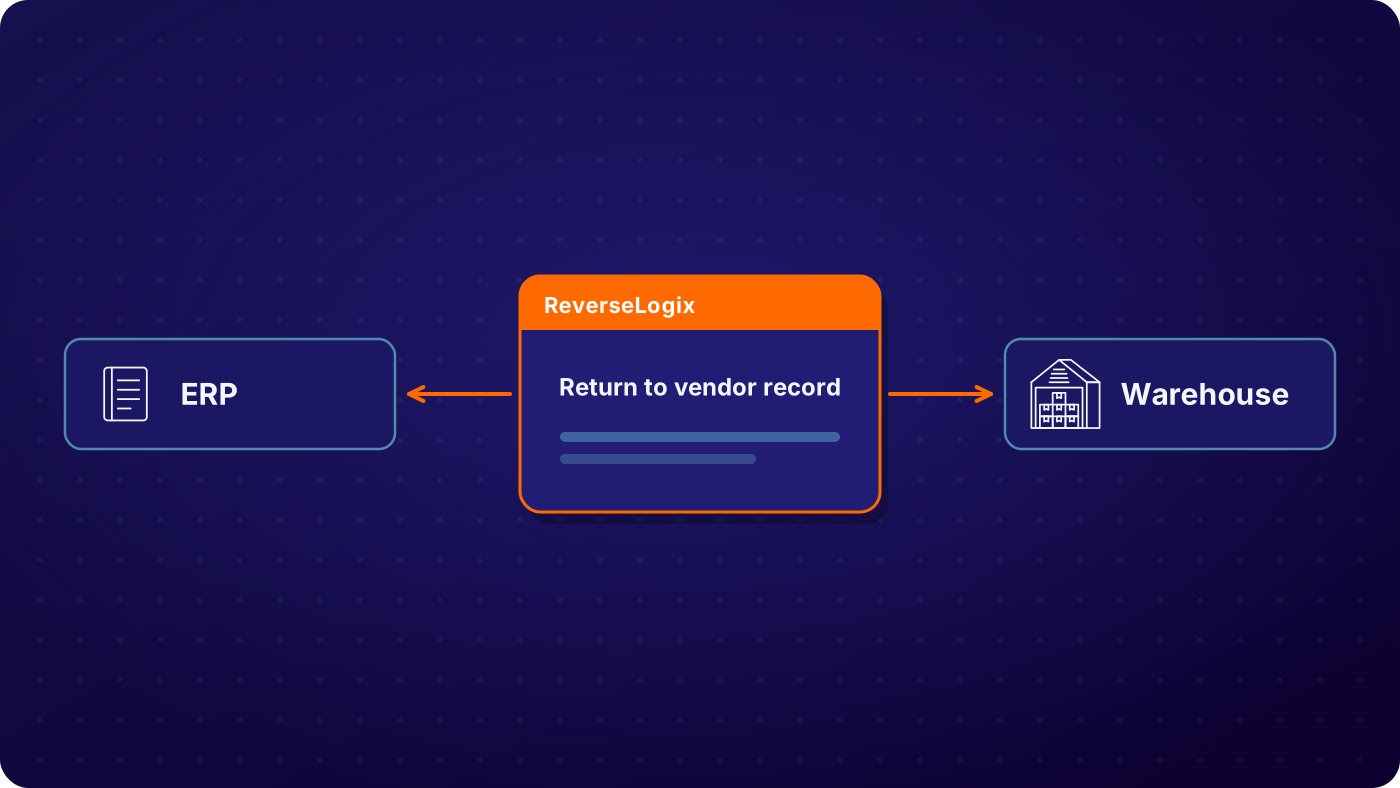
ReverseLogix runs the returns workflow and posts to your systems of record. Your WMS keeps locations and stock on hand. Your ERP keeps orders, credits and inventory value. ReverseLogix integrates with warehouse platforms such as Blue Yonder, Manhattan, Korber and SAP EWM, and with SAP, Oracle, NetSuite and Microsoft Dynamics 365, through an API-first design. The project takes mapped fields, a sandbox, user acceptance testing and a go-live plan. The ReverseLogix team scopes it with you.
See: integrations, implementation
Audit Trail, Access and Controls on the Warehouse Floor
Every returned unit carries a full history: who scanned it, what the inspection found, which rule set the route and when the stock move posted. When a customer disputes a refund or an auditor asks about a write-off, the record and the photos are already there.
Role-based access decides who can change an inspection rule, approve an override or release an exception. Every change is written to the audit history. Roles and workflows can differ by site, so one configuration serves several buildings. ReverseLogix certifications are shared during evaluation.
See: platform security
Your next questions, answered


Frequently asked questions
Warehouse returns management software is a system that guides warehouse staff through receiving, inspecting, grading and routing returned goods. It holds the inspection criteria for each product, records the condition and decision for every unit, and passes the result to the warehouse and finance systems. It covers the part of the warehouse a WMS was not designed for.
A WMS manages locations, stock and outbound work. It can receive a carton, but it does not hold return reasons, inspection steps, grades or disposition rules. Warehouse returns management software runs those steps and then tells the WMS where the unit ended up. The two work side by side.
No. Your WMS remains the system of record for locations and stock. ReverseLogix runs the returns workflow and posts stock moves to it. It integrates with platforms such as Blue Yonder, Manhattan, Korber and SAP EWM.
You put the inspection steps and the routing rules on the screen, so associates do not stop to ask what to do with each unit. You grade at the first touch, route by rule, and send only true exceptions to a supervisor. Then you measure time from dock to stock and work on the slowest step.
Yes. Workflows, roles and rules can be set by site, and a 3PL can hold separate rules for each client. Reporting covers one building or all of them. See the 3PL returns page for the multi-client setup.
It automates the decision, and it can assist the inspection. Rules turn the inspection answers into a grade and a route without a supervisor. Vision AI can compare a unit with reference images and flag damage. A person still handles the product, and your team sets how much the system decides alone.
At the trigger your program sets. Refund at custody transfer is standard, for example a carrier scan or the dock scan. Where the product needs checking first, the refund waits for the grade. Either way it is released by the system, not by someone working through a list.
Standard go-live for returns initiation is 4 to 6 weeks. Warehouse processing, WMS and ERP integration add configuration, so the timeline depends on how many sites and systems are in scope. Repair and technician flows extend the project further. A specialist will give you a plan after reviewing your operation.
Further reading: Reverse Logistics Association.
See Where Your Returns Area Loses Time and Value
A specialist walks through your returns area, from dock scan to stock move, and shows where units wait and value is lost, before any demonstration.


