

Salesforce Returns Management Integration for Service Cloud and Commerce Cloud
A Salesforce returns management integration links every Service Cloud case to its return, so an agent sees the status without leaving Salesforce.
A customer calls to ask where her refund is. The agent opens the case in Service Cloud. It shows the complaint, the order and nothing else. The return sits in another system, so the agent puts her on hold and goes looking. The ReverseLogix Salesforce integration links each Service Cloud case to its return and shows the return status where agents already work. It also looks up orders from Commerce Cloud when a return starts. Salesforce stays the system of record for customers, cases and orders. ReverseLogix runs the return itself: authorization, receiving, inspection, disposition and the refund trigger.

Returns teams using ReverseLogix include:








What Breaks When Returns Live Outside Salesforce?
Agents work in Service Cloud. The return lives somewhere else. Every gap between the two turns into a phone call, a note or a second login.
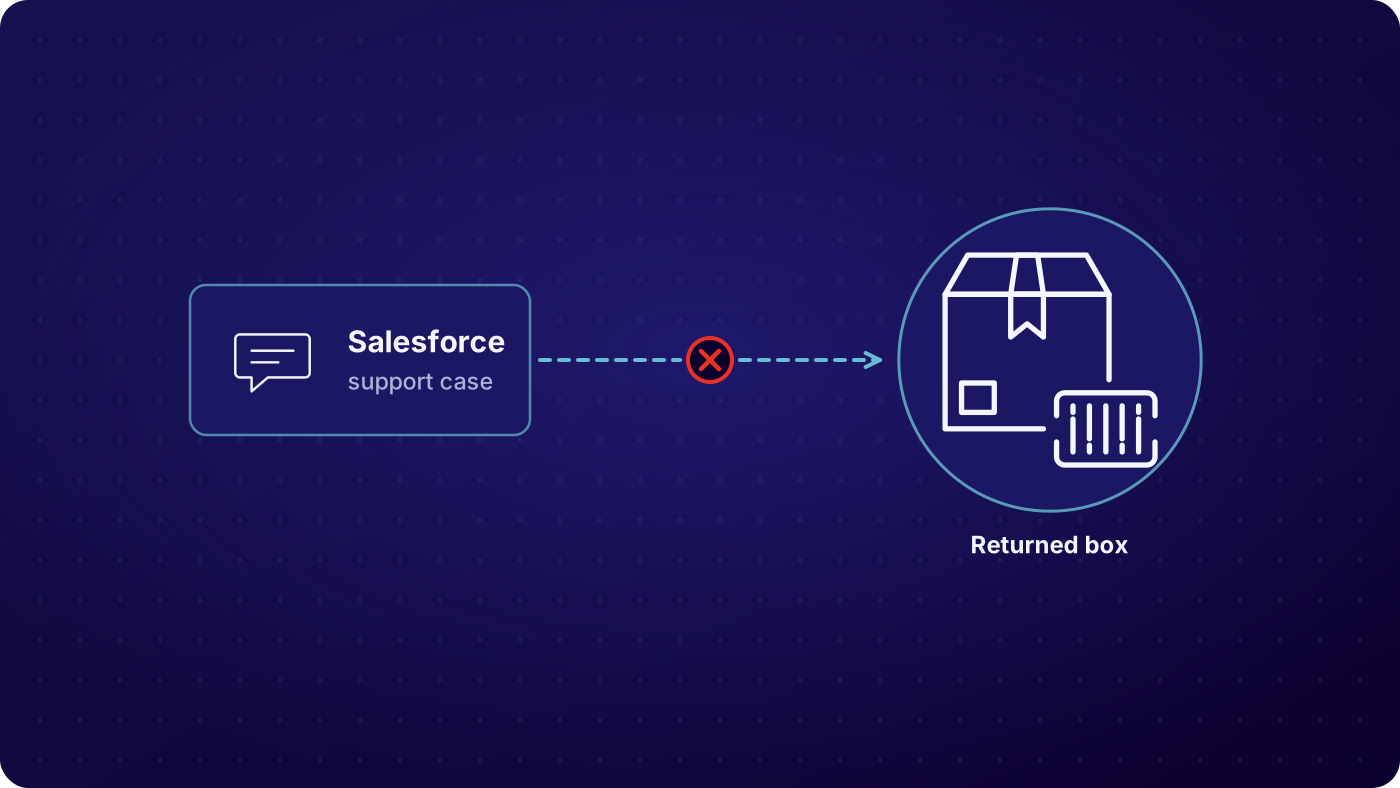

The agent cannot see the return
The case says the customer wants a refund. It does not say whether the label went out, the box arrived or the item passed inspection. The agent has to check another system, or ask the warehouse.

Cases and returns drift apart
A return is opened by hand and the case number is typed into a note field, or not typed at all. Weeks later nobody can tie the refund back to the complaint that started it.

Order lookup turns into a hunt
A customer gives an order number from a Commerce Cloud storefront. The return form asks for the same details again, and the agent re-enters what the order already holds.

Customers call to ask where their refund is
With no status in front of the agent, the answer is a guess. Contact volume goes up on the exact questions a status field would settle.
What Syncs in the Salesforce Returns Management Integration, and When?

Order lookup at request
When a customer or agent starts a return, ReverseLogix reads the order from Commerce Cloud: order number, line items, ship-to and dates. The return window and eligibility rules run against that order, so nobody re-keys what the order already holds.
See: returns initiation
Case linked to the return
The return carries the Service Cloud case number, and the case carries the return reference. An agent who starts the return from a case, or a customer who starts it in the portal, ends up in the same linked pair.
Status written back at each event
Label issued, item received, inspection done, disposition set, refund or replacement triggered. Each event updates the return status the agent sees on the case. The agent reads the answer instead of chasing it.
See: returns processing


Outcome posted for the record
When the refund trigger fires at custody transfer, the outcome is posted back so the case can close with the result on it. Every message is logged, and a failed one is flagged for retry rather than lost.
See: warranty management
| Condition at inspection | Typical route | Recorded on the return |
|---|---|---|
| Return requested from a case or the portal | Order read from Commerce Cloud, return created and linked to the case | Case number, order number, line items, return reason, timestamp |
| RMA authorized and label issued | Return status and RMA number posted to the case | Case status field, RMA number, carrier, tracking number, timestamp |
| Item received at the warehouse | Receipt event posted to the case | Return status, receiving location, received date, user |
| Inspection and grading complete | Grade and disposition posted to the case | Grade, disposition, photos reference, inspector, timestamp |
| Refund or replacement triggered | Outcome posted, case ready to close | Refund or replacement result, amount, order reference, timestamp |
Example mapping. Objects, fields and triggers are scoped per project during the mapping workshop.
Which Teams Touch the Salesforce RMA Integration?
Four groups use it, and each sees a different slice. Agents read return status on the case and start returns for customers who call. The Salesforce admin owns the objects, fields and permissions on the Salesforce side. The returns and warehouse team works the return in ReverseLogix and never needs a Salesforce login. IT owns credentials, the sandbox and the release plan. Role-based access limits what each person can see and change, and every record keeps a full audit history.
See: IT teams
Who sees what
- Agents: return status, RMA number and tracking on the case
- Salesforce admins: the mapped objects, fields and permissions
- Returns and warehouse teams: the full return in ReverseLogix
- IT: credentials, sandbox, test results and release plan
How Do You Know the Salesforce Case Return Status Stayed in Sync?
Every message between ReverseLogix and Salesforce is logged with its time, direction, result and the record it touched. A message that fails is flagged, retried on a schedule and visible to your team, so a missed update does not sit unnoticed until a customer calls. Your team can compare cases and returns side by side and find the ones that do not match. The audit history on each return shows who changed what, and when.
- A return with no linked case, or a case with no linked return
- A status update that failed and is waiting for retry
- A case still open after its return is complete
- An order lookup that returned no match for the number given
- A refund triggered that does not match the order amount
See: analytics
Salesforce Stays the System of Record for Customers, Cases and Orders

ReverseLogix does not replace Service Cloud or Commerce Cloud. Customers, cases and orders stay in Salesforce. ReverseLogix owns the return: rules, authorization, receiving, inspection, repair, disposition and the refund trigger. The two connect through API, so the rest of your stack stays where it is. If you also run an ERP or a warehouse system, ReverseLogix posts to those too.
Credentials, Sandbox, UAT and Release Management
The connection uses credentials your Salesforce admin creates and controls, with the permissions set to what the integration needs and no more. Access is role based on both sides, and the audit history records each change. Certifications are shared during evaluation.
The project takes real work from both teams. It starts with a mapping workshop that settles objects, fields and events. Then comes a build against your Salesforce sandbox, user acceptance testing with your agents on realistic cases, and a go-live plan with a fallback. Your team owns the Salesforce side, ReverseLogix owns the return side. Standard go-live for initiation is 4 to 6 weeks, and repair or technician flows extend it. Changes after go-live follow your release process.
See: implementation, security
Your next questions, answered




Salesforce returns management integration: questions and answers
Yes. ReverseLogix links each Service Cloud case to its return and writes return status back to the case, so agents see where a return stands without leaving Salesforce. The link works in both directions: an agent can start a return from a case, and a return started in the portal ties back to the case. Mapped objects and fields are scoped per project.
Yes. Status events such as label issued, item received, inspection done and refund triggered are posted to the case as they happen. An agent reads the current state, the RMA number and the tracking number on the case itself. Which fields appear on the page layout is your Salesforce admin’s call, so the view matches how your agents work.
Yes. ReverseLogix reads the order from Commerce Cloud when a return starts, including order number, line items and dates. Return windows and eligibility rules run against that order, so the customer or agent does not re-enter it. The scope of order data read and any Commerce Cloud customizations are confirmed in the mapping workshop.
No. Salesforce stays the system of record for customers, cases and orders. ReverseLogix owns the return itself: rules, authorization, receiving, inspection, repair, disposition and the refund trigger. It connects through API and posts outcomes back. Your agents keep working in Service Cloud, and your warehouse team works in ReverseLogix.
It depends on scope. Standard go-live for returns initiation is 4 to 6 weeks, and repair or technician flows extend it. The work includes a mapping workshop, a build against your Salesforce sandbox, user acceptance testing with your agents and a go-live plan. A project with custom objects or heavy Commerce Cloud customization will take longer. We scope it with you before you commit.
Your admin creates the integration credentials, sets their permissions, adds any fields or page layout changes on the case, and provides a sandbox. They also join the mapping workshop and the testing. Expect a few working sessions rather than a full-time commitment, though the effort grows with the number of custom objects involved.
Failed messages are logged, flagged and retried on a schedule, and your team can see them. Nothing drops silently. If a retry keeps failing, the message stays visible with its error so someone can fix the cause, such as a changed field or an expired credential, and replay it. The return itself keeps moving in ReverseLogix in the meantime.
Yes, where your program allows it. Overrides such as sending a label when the rule says no, or issuing a refund early, can be limited to named roles and are recorded with the user, the reason and the time. Role-based access keeps agents inside the limits you set, and supervisors can hold more rights than agents.
Further reading: Salesforce.
See a Return Linked to Its Service Cloud Case
A specialist walks through your case flow and order data and shows what would sync, before any demonstration.


