

Returns Management ERP Integration: Why Integrations Set Your Returns Software Timeline

Article brief:
- Integrations set the returns software timeline. Returns initiation takes about eight weeks with two or three endpoints.
- Processing can touch carrier, OMS, WMS, ERP, CRM, RMA, and ticketing systems, with four to six weeks of testing. But each connection carries different data.
- The ERP handles return merchandise authorization, credits, and inventory value; the WMS handles receiving, mobile barcode scanning, and grading, while EDI feeds handle dealer and supply chain returns.
- Returned items should post as pending until graded, which helps flag suspicious return behavior and keeps inventory accurate.
- The NRF reports retailers are expected to take back about $849.9 billion of merchandise in 2025, roughly 15.8% of sales, so every broken handoff gets multiplied. Connected systems cut manual data entry, support instant store credit and refunds, and keep customer loyalty from slipping after a bad return.
Returns software doesn’t take weeks to set up, but the connections do. For instance, a returns management ERP integration, a carrier link, a WMS feed, and a service desk hookup each carry different data, have a different owner on your side, and need their own test cycle. So the number of systems you connect is what sets the date. Your returns already touch every one of those systems today. They just do it through people, inboxes, and re-keyed spreadsheets.
This piece shows what each connection carries, why each one gets tested on its own, and how to size the work before anyone signs.
How Returns Management ERP Integration Sets Your Timeline
Returns initiation at ReverseLogix runs about eight weeks, and most of that clock is tied to two or three endpoint integrations. Those are usually a carrier, the enterprise resource planning (ERP) system and/or the order management system (OMS), and sometimes the WMS. Design takes two to three weeks, configuration takes one to two weeks, the integration build itself is about a week, and testing takes two weeks.
Processing is a different level. A single returned item in processing can touch your carrier, OMS, WMS, ERP, CRM, RMA tool, and ticketing system. With that many connections, testing alone can run four to six weeks, and configuration can take up to four. Repair and warranty go further, because uneven exchanges, partial credits, and parts orders all need logic that two or three systems have to agree on.
Pulse, ReverseLogix’s forward-order tracking module, sits at the short end of the scale. It needs shipping carriers and sometimes the OMS, plus email template design. The whole thing goes live in four weeks or less.
So when someone says enterprise returns software is slow, ask which systems they connected. To successfully set up returns management alongside your ERP, start by naming every connected system and integration point. The implementation plan does that in week one, and that list is the timeline.
Your Returns Platform Already Runs on a Franken-System
Most enterprise returns teams start from a stack that grew one fix at a time.
- A portal takes the customer’s request.
- Someone exports a CSV and emails it to the warehouse.
- The warehouse grades the item on paper, or in a tab of a shared sheet.
- Finance keys the credit into SAP by hand two days later.
- Warranty claims sit in a ticketing tool nobody else can see.
Each piece works on its own, but together they form what we call a Franken-System at ReverseLogix, and the cost of those manual processes rarely shows up as one line on a budget. You can estimate what yours costs with ReverseLogix’s calculator.
That’s the honest framing for integration work. Instead of adding weight to your operation, you’re swapping the people who carry data between systems for messages that do it the same way every time. The goal is one integrated system where customer service, warehouse operations, finance, and inventory all read the same return record. Most returns management software is sold on features, but the integration list tells you far more about whether that single record is real.
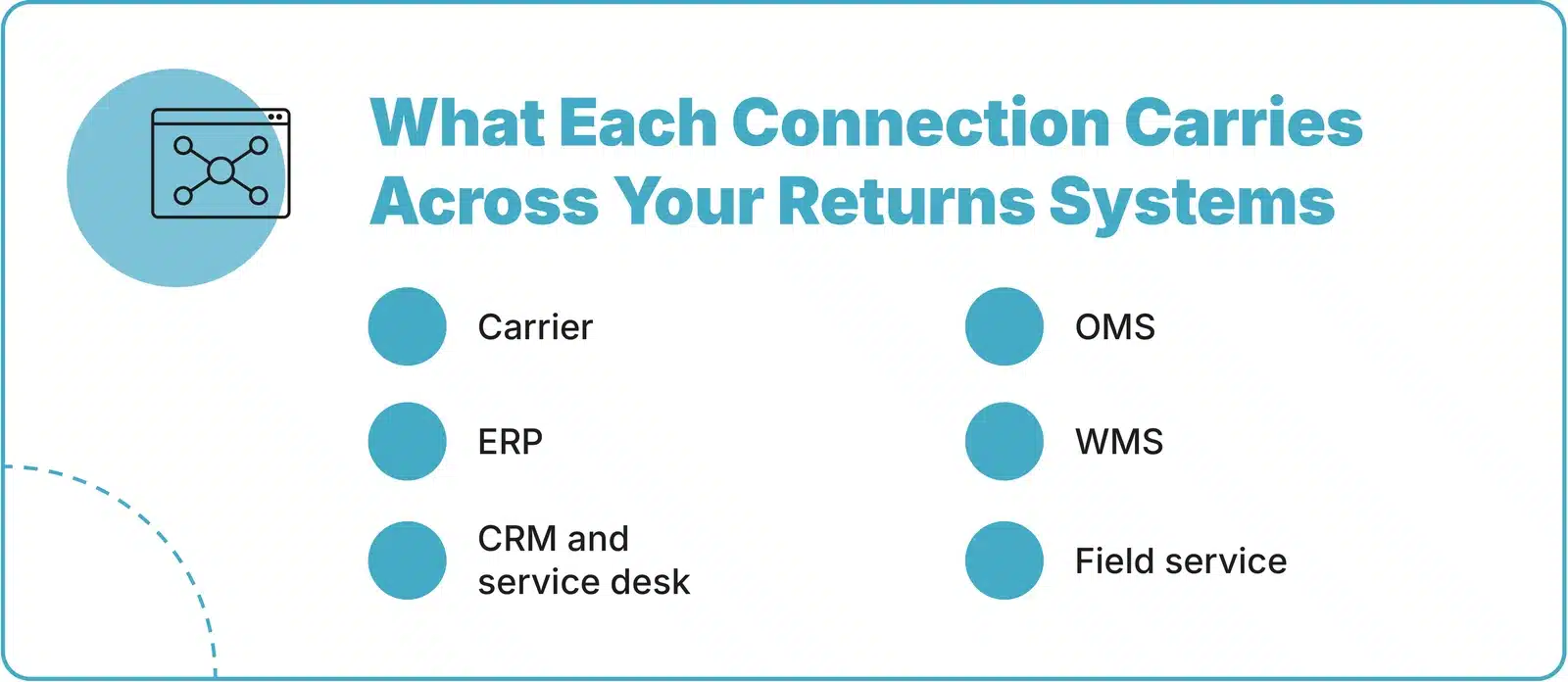
What Each Connection Carries Across Your Returns Management Systems
Each system in the reverse logistics process sends and receives different data, and each one fails in its own way. Here’s what that looks like across a typical enterprise stack.
| System | What it sends or receives | Owner on your side | What breaks if the mapping is wrong |
|---|---|---|---|
| Carrier | Return label, tracking events, proof of delivery | Logistics or transportation lead | Shipping label generation fails at the portal, and tracking stops updating |
| OMS | Original order, line items, return eligibility | Ecommerce or order ops | Wrong items get allowed back, and exchanges can’t be placed |
| ERP | Return merchandise authorization, credits, GL postings, inventory value | ERP or finance systems owner | Credits post twice or not at all, and month-end won’t reconcile |
| WMS | Expected receipts, scan events, grading, put-away | Warehouse systems lead | Items arrive unannounced, and inventory levels drift |
| CRM / service desk | Case history, return status, customer communication | Customer service ops | Agents can’t see where a return is, so customers call twice |
| Field service | Technician visits, parts, repair outcomes | Service operations | Warranty repairs lose their link to the original claim |
Look at the owner column. Six systems usually means six different people on your side, each with their own calendar and change process. That’s where weeks go, and it’s why the scope document names each owner before build starts.
The ERP row deserves a closer look, though. A good ERP connection cuts most manual data entry out of returns, because credits and RMAs post without anyone re-keying them. It also improves financial reconciliation. When a credit carries the return ID, the reason code, and the graded outcome, finance can tie every dollar back to a physical item instead of a spreadsheet row.
WMS Integration and the Returns Data Your Warehouse Needs
The WMS connection decides whether your warehouse knows a return is coming. Without it, the dock receives a carton with no advance notice, and someone has to look up the order by hand before they can even open it.
With a WMS integration, the expected receipt lands before the truck does. Receiving staff scans the label with a mobile barcode scanner, and the return record opens on the spot. Grading happens against the rules on that record, and the outcome flows back to your warehouse management system (WMS) for put-away and to the ERP for inventory value. Now, the problem when the systems don’t talk to each other is that the seemingly easy process becomes much more cumbersome, which is how most hours get lost. But communication directly improves warehouse efficiency. That also means fewer cartons sit in a holding cage waiting for someone to identify them, freeing up warehouse space.
One rule matters more than people expect. A returned item should not go straight back into sellable stock. Good inventory management holds it as pending until it’s graded. Sometimes retailers report more overstated quantities, empty boxes, and counterfeit swaps, but grading-first logic flags suspicious return behavior before it costs you twice.
ReverseLogix connects to WMS software including Blue Yonder, Manhattan, Korber, and SAP EWM. WMS systems all use different objects and field names, so each one is scoped separately. This way, your inventory systems stay the system of record throughout.
Electronic Data Interchange For B2B and Supply Chain Returns
Dealers and distributors rarely use a returns portal. They send returns through electronic data interchange (EDI) or a file drop, often batched weekly, often covering hundreds of lines against one account. That’s a separate endpoint with its own mapping.
An EDI return carries account terms, purchase order references, and sometimes pricing that differs from list. A power tools maker selling through a dealer network might get a single file listing 40 SKUs across 600 units, each needing a return authorization against the dealer’s agreement. And that data has to land on the same return record as a consumer return, or finance ends up reconciling two systems by hand.
Retailers are increasingly leaning harder on 3PL partners for holiday returns, but third-party logistics providers add another layer because their systems become one more connection to scope and test. Reverse logistics gets harder to see the more hands touch it, which is the case for connecting each one properly.
Why Each e-commerce and ERP Integration Gets its Own Test Cycle
A SAP connection doesn’t carry over to a Blue Yonder warehouse, nor does a NetSuite mapping tell you anything about Zendesk. Each system has its own objects, authentication, and idea of what a “return” is.
So each connection goes through its own system integration testing (SIT). Every message type gets checked to make sure the credit posts to the right object, with the right fields, once. Then your team runs user acceptance testing (UAT) on real scenarios. That means a standard return, an exchange of a different value, a missing item, and a refund that should post at custody transfer.
Here’s what your IT team can do to keep testing short:
- Confirm your test tenant matches production fields and security settings before the sandbox connects.
- Review the field mapping document with each system owner during design. Don’t wait until after integration starts.
- Name one person per system who can answer field questions within a day.
- Agree upfront which defects block go-live and which move to a later release.
The ReverseLogix IT team page covers what your side owns in more detail.
How Returns Management Software Works When a Customer Initiates a Return
One return can touch five systems before it closes. A full returns process runs through initiation, inspection, disposition, and financial reconciliation, and each stage leans on a different connection.
Here’s the path for an enterprise retailer selling across its own site, major e-commerce platforms, and wholesale accounts.
- The customer starts a return request in the self-service portal, without needing to reach an agent.
- The OMS checks the request against the original purchase and the return policy.
- If it passes, an automated system issues the return merchandise authorization on the spot instead of waiting in an approval queue.
- The carrier link generates a label or a QR code for box-free returns at carrier locations that accept them. The WMS gets an expected receipt.
- When the carton arrives, the warehouse scans and grades it.
- The ERP posts the credit or refund. If the customer picked an exchange or store credit, the OMS places the new order, and the ERP handles any price difference.
- The service desk updates the case so an agent can answer without digging.
Every arrow in that chain is an integration, but it’s also a place where a customer can get stuck.
Why Broken Handoffs Show Up in Customer Satisfaction
When a handoff fails, the customer feels it first. It could be that the refund doesn’t arrive, the tracking stops, or the agent says they can’t see the return. Whatever it is, it’s still a big problem because consumers are less likely to shop with a retailer again after a poor return experience. That’s future purchases leaving with the return. 76% of customers are more likely to choose a return option with instant refunds or exchanges, but neither works if the ERP and the portal disagree about whether the item arrived.
According to Katherine Cullent, NRF’s vice president of industry and consumer insights, “returns are no longer the end point of a transaction.” That’s the post-purchase experience in one line, and the customer experience after a return now shapes the next order.
Automated status updates keep customers informed at each step, and clear messages about where a return sits cut down on repeat calls and support tickets. Fewer “where’s my refund?” calls do more to improve customer satisfaction than any survey. Those are small things, but added up across a peak season, they decide whether returns help customer retention or quietly hurt it.
There’s a second payoff. When every return carries a reason code on one record, returns data starts telling you which products come back most and why. That gives quality teams and suppliers real evidence to act on, instead of anecdotes from the returns desk. Customer behavior shows up in the pattern long before it shows up in a complaint.
How to Pick The Best Returns Management Software For Your Stack
Ask vendors these questions before signing with them:
- Which of my systems do you already connect to, and which need scoping?
- Does the scope document list every field, every message, and every owner?
- Is the sandbox tied to my test tenant with production-matching fields?
- Will I see a message log with failed-message reasons in testing and live?
- Can I add endpoints later without redoing the first ones?
- Do you replace any of my systems of record? (The right answer is no.)
The right returns management software for an enterprise stack is the one that helps streamline operations, fits your stack, and has a test process your IT team can actually read. That’s what the best returns management software comes down to after the demo, because that fit supports operational efficiency. ReverseLogix connects to SAP, Oracle, NetSuite, Microsoft Dynamics 365, Salesforce, major ecommerce platforms, WMS platforms, and help desks, including Zendesk, Freshdesk, and ServiceNow, so retailers can plug returns workflows into existing logistics systems.
How ReverseLogix Connects to The Systems You Already Run
ReverseLogix is an API-first returns management platform, not a storefront add-on. It connects to your existing tech stack without replacing your systems of record, helping with optimizing inventory management as the business scales and you add endpoints over time. Start with Pulse or returns initiation and two or three endpoints. Add processing, warranty, and repair as your team is ready, on the same return record. That’s how the platform scales with the business. See the full list of integrations, or talk to a returns specialist about which endpoints your first phase needs.

Frequently Asked Questions
Does returns software support EDI for B2B and dealer returns?
Enterprise returns software can accept dealer and distributor returns through EDI or file drops, but each EDI feed is its own integration. It needs field mapping for account terms, purchase order references, and pricing, plus its own test cycle. The returns land on the same record as consumer returns, so finance reconciles credits in one place. Storefront returns apps generally don’t handle EDI, because they’re built for single consumer returns through a web portal.
Do I need to replace my WMS to use returns software?
No. Your WMS remains the system of record for the warehouse. A return management system connects to it through APIs, sending expected receipts and receiving scan and grading events. ReverseLogix connects to Blue Yonder, Manhattan, Korber, and SAP EWM, among others. Each WMS connection is scoped and tested separately because each platform uses different objects and field names.
How much IT effort does returns ERP integration take?
Your IT team answers field questions for the ERP, provides access to a test environment, completes any security review, and supports system integration testing. It doesn’t build the returns system. For returns initiation, the ERP is usually one of two or three endpoints, with about a week of integration build and two weeks of testing. A scope document lists each task and owner, so IT can size its part before signing.
Get a Demo
Discover how you can jump-start your returns management efforts with ReverseLogix.


