

Storefront Returns App vs Enterprise Returns Management System: What Each Is Built to Handle

Article brief:
- A returns app handles the customer-facing side of a return, including a branded portal, self-service return requests, shipping labels or QR codes, box-free drop-off, instant exchange, and store credit.
- An enterprise returns management system handles all of that plus what happens after the box arrives, including warehouse receiving, inspection, grading, disposition, value recovery, and settlement.
- It also covers B2B and dealer returns with bulk RMAs and return authorization, warranty entitlement and repair with technician workflows and parts, multi-site processing with role-based access, and uneven exchanges with credits posting to the ERP.
- Your operation sets the switch point. If your team re-keys returns into the ERP, dealers email spreadsheets, warranty claims live in a separate tool, or finance can’t match credits to returns, the app has been outgrown.
A storefront returns app is a good fit for many retailers with one storefront, a warehouse, and mostly B2C. It puts a branded portal in front of the customer, prints a label, and issues a refund or exchange. Sometimes it can do all of this in under a minute. This article covers what changes when a returns app vs. an enterprise returns management system becomes the real question, and where the line sits between the two. It’s about what happens after the box arrives, whether you run B2B or dealer returns, and how many systems need to see the same return record.
Returns App vs Enterprise Returns Management System at A Glance
The differences between a returns app and an enterprise returns management system boil down to what each of them has to do:
| Dimension | Returns App | Enterprise Returns Management System |
|---|---|---|
| Primary user | E-commerce and customer service | Operations, warehouse, finance, IT, customer service |
| Return types handled | B2C consumer returns | B2C, B2B, dealer, bulk RMA, warranty, repair |
| Systems it connects to | Storefront platform, carrier, payment gateway | ERP, OMS, WMS, CRM, service desk, field service, carriers |
| Warehouse receiving and inspection | Not included; handled outside the app | Built in: receiving, grading, disposition, routing |
| Warranty and repair | Not included | Entitlement checks, technician assignment, parts, quotes |
| Pricing model | Predictable monthly subscription | Scoped by modules and volume |
| Typical time to go live | Days to a few weeks | ReverseLogix’s Pulse fin 4 weeks; returns initiation in ~8 weeks |
What a Returns App Does Well
A good returns app removes customer friction. It gives customers a branded portal where they can start a return request, pick a reason, get a shipping label or QR code, and drop the package at a box-free drop-off point. That improves the customer experience and post-purchase experience through self-service returns, clear order tracking, and faster refunds. Some apps offer instant exchanges and store credit before the item ships back, which keeps the customer in the buying cycle. Branded tracking lets the customer track the return with real time tracking after initiation, much like following a delivery, which also supports customer satisfaction.
Subscription costs are predictable, often based on return volume, though cost can rise with order volume. And installation can take mere days. For a single-storefront brand running one warehouse, the app covers the front-end product return process end to end. But while the app manages the request, it doesn’t manage what happens in the warehouse after the package arrives.
What an Enterprise Return Management System Handles That Apps Don’t
An enterprise returns management system picks up where the app stops and keeps going through inspection, grading, disposition, and settlement. In practice, that looks something like this:
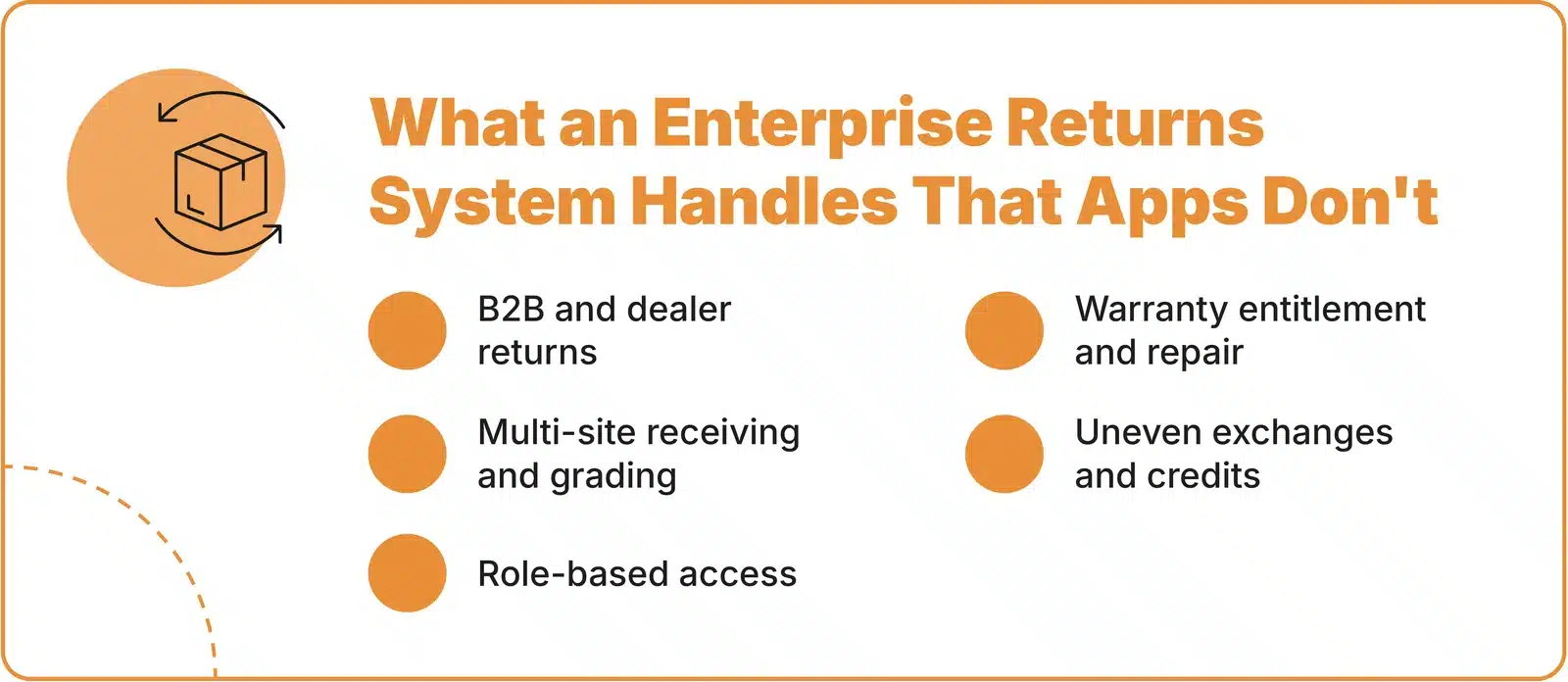
B2B and Dealer Returns
A consumer may return one shirt, but a dealer returns 400 units across 30 SKUs against account terms, with a return authorization tied to a purchase order in the ERP. A returns app doesn’t carry that record. An enterprise system does, including bulk RMA creation and approval workflows that run against business rules your ops team sets.
Warranty Entitlement and Repair
A home appliance manufacturer, for example, may need to check whether a dishwasher is still under warranty before approving a technician visit. That means reviewing entitlement rules, parts on order, technician status updates, and customer quote approvals. None of that fits inside a storefront returns app, because the app was never designed for it.
Multi-site Receiving, Inspection and Grading
A sporting goods company receives returns across three distribution centers and one returns processing facility. Each site inspects and grades against the same rules, and the disposition decision (resell, refurbish, liquidate, or recycle) posts to the same record, supporting warehouse sync between return decisions and receiving operations. A returns app, by contrast, has no view into the warehouse and lacks the visibility to track returned items through inspection and disposition.
Uneven Exchanges and Credits
When the replacement product has a different value than the original, the credit logic needs to land in both the commerce platform and the ERP. That means two systems must agree on the dollar amount, the reason code, and the GL account. Enterprise systems can easily handle that on the same record.
Role-based Access
Basically, the warehouse team sees receiving and grading, customer service sees the customer’s request and refund status, finance sees credits and write-offs, and the IT team sees message logs and integration health. So, you have one record with different access and views.
Inventory Control, Returns Data and The Post-Purchase Record
A returns app’s data stops at the label. Granted, it can tell you the customer requested a return, which carrier picked it up, and whether you issued a refund or store credit. But stock levels, grading outcomes, and credit postings live somewhere else, usually in the ERP, the WMS, and a spreadsheet that someone updates manually.
An enterprise returns management system keeps returned items on the same record from the moment the customer submits a request through the returns portal, warehouse receiving, inspection, grading, disposition, and settlement. That means your inventory count updates when the item is graded as resellable, not when someone remembers to enter it, because the enterprise platform coordinates the data in one system across customer initiation, warehouse steps, and settlement.
The fraud angle matters here too because more than an ideal number of returns are fraudulent. Merchants are reporting increases in overstated quantities, empty boxes, and counterfeit items sent back. To catch that at inspection, you need a system that connects the return request to what actually showed up at the dock. Enterprise systems also add advanced fraud detection and policy enforcement during inspection and reconciliation. The returns app never sees the dock, so it can never do that.
Signs You’ve Outgrown a Returns App
First, your team always has to re-key returns into the ERP. Every return that comes through the app must be entered again in SAP, Oracle, or NetSuite so finance can post the credit. That creates manual tasks, and it’s a clear sign the team has outgrown a simple returns portal or basic app.
Second, your dealers are forced to email return spreadsheets. Your B2B accounts send Excel files listing what they’re sending back, and someone on your team manually creates each RMA. As order volume rises, that complexity makes spreadsheet-driven dealer returns unsustainable.
Third, warranty claims live in a separate tool. Maybe a CRM, maybe a ticketing system, or even a shared inbox. The point is that the warranty record is disconnected from the return record, which weakens customer satisfaction because nobody can see a product’s full history quickly without checking two or even three systems.
Now imagine you add a second warehouse or country, but the app was set up for one location. That inevitably means you need a second set of grading rules, a second carrier connection, and possibly a second currency. The returns app wasn’t designed to carry that.
Fourth is when finance can’t match credits to returns. So, say the refund went out, but the credit in the ERP doesn’t tie back to a specific return with a graded outcome and a disposition. So you have to resort to reconciliation, but that takes hours, and those hours add up to a real line item.
How to Compare Returns Management Software
Before deciding on any platform, there are six questions you must get the answers to when comparing returns management software for your business needs, and those include:
- What return types does it handle: B2C, B2B, dealer, warranty, repair?
- Which systems does it connect to, and does each integration go through its own test cycle?
- Does it handle warehouse receiving, inspection, and grading, or does that happen outside the platform? (And can it generate return labels and track shipments after label creation?)
- Can it run warranty entitlement checks and repair workflows on the same record?
- What’s the total cost once you include integrations, configuration, and testing?
- Does the scope document list every field, every message, and every owner on my side?
The answers split the market fast. For instance, the returns app typically covers the first question partially and skips the rest, but enterprise returns management software covers all six.
What Switching From a Returns App to Enterprise Returns Management Takes
The switch doesn’t mean starting over. Your customer-facing experience, portal, reasons, and labels can carry over. What changes is the back end. That includes connections to your ERP, OMS, and WMS, plus warehouse workflows and business rules.
Returns initiation runs about eight weeks, with two to three endpoint integrations going through design, configuration, integration, testing, and go-live. You can keep the app running during the transition and cut over when UAT passes. Plus, you don’t have to go live with processing, warranty, and repair on day one. Phase it. Start with initiation, prove the integrations, then add modules on the same record.
The implementation process locks in the go-live window against your code freeze and peak calendar before the build starts, so the switch doesn’t collide with November.
How ReverseLogix Fits Enterprise Returns
ReverseLogix isn’t a storefront app, but it handles everything a returns app can, including the customer portal, labels, and exchanges. It also handles what it doesn’t, including B2B, dealer returns, warranty entitlement, multi-site processing, uneven exchanges, and credits that post to your ERP. Implementation starts with the workflow you need to manage returns effectively and scales with your business.
Talk to a returns specialist to see how it can improve your returns team’s operational efficiency.
Frequently Asked Questions
Can a returns app integrate with SAP or Oracle?
Most storefront returns apps don’t connect directly to SAP, Oracle, or NetSuite. They plug into commerce platforms like Shopify or BigCommerce and pass data to a payment gateway. If your ERP needs to see the return record, the credit amount, and the disposition outcome, that connection typically requires an enterprise returns management system with its own integration layer, field mapping, and test cycle.
Do returns apps handle B2B or dealer returns?
No. Returns apps are built for individual consumer returns through a self-service portal. B2B returns involve bulk RMAs, return authorization against account terms, matching purchase orders, managing reverse logistics, and sometimes different grading rules per account. Dealer returns add spreadsheet-based submissions and account-level credit logic. These workflows need an enterprise returns management system that carries the full record, connects to your ERP, and supports configurable return policies and refunds tied to account-level approvals.
How long does it take to switch from a returns app to an enterprise system?
Returns initiation takes about eight weeks, depending on integrations, scope, and how returns run across sites or countries, covering design, configuration, integration with two to three endpoints, testing, and go-live. You can run the app and the enterprise system in parallel during testing and cut over when UAT passes. Processing, warranty, and repair add time and are typically phased after initiation is live.
Get a Demo
Discover how you can jump-start your returns management efforts with ReverseLogix.


